Quantaid
End-to-end web app
Overview
Quantaid is a desktop-first learning platform that makes quantum computing accessible through structured lessons, quizzes, and AI-powered support.
I collaborated with the team to expand the project’s focus into a more structured and comprehensive direction, designing an end-to-end web app learning experience in preparation for launch.
Role: UX designer
Tools: Figma, Figjam
Skills: Competitive Research, User Research, Branding, Prototyping, Usability tests
Team: Research student and developer (Kevin Hernandez, An Bui), UX Designer (Me)
2024-2025
Stakeholder vision
During my first meeting, the stakeholder (Tirthak) shared his goal:
to generate interest in quantum computing among high school and college students.
He demoed an early concept : a web app where AI would teach quantum computing through quizzes built from the user’s hobbies. Below is a visualization of the concept.

Problem
Limited awareness and accessibility
Quantum computing is complex, expensive and perceived as inaccessible to the average learner.
Knowledge gaps
Learners often have partial understanding in one area but lack the cross-disciplinary knowledge needed to connect concepts effectively.
Early stage development and fragmented resources
The field’s rapidly evolving nature can make educational resources feel scattered or overwhelming.
Solution
A learning platform that makes quantum computing accessible by providing:
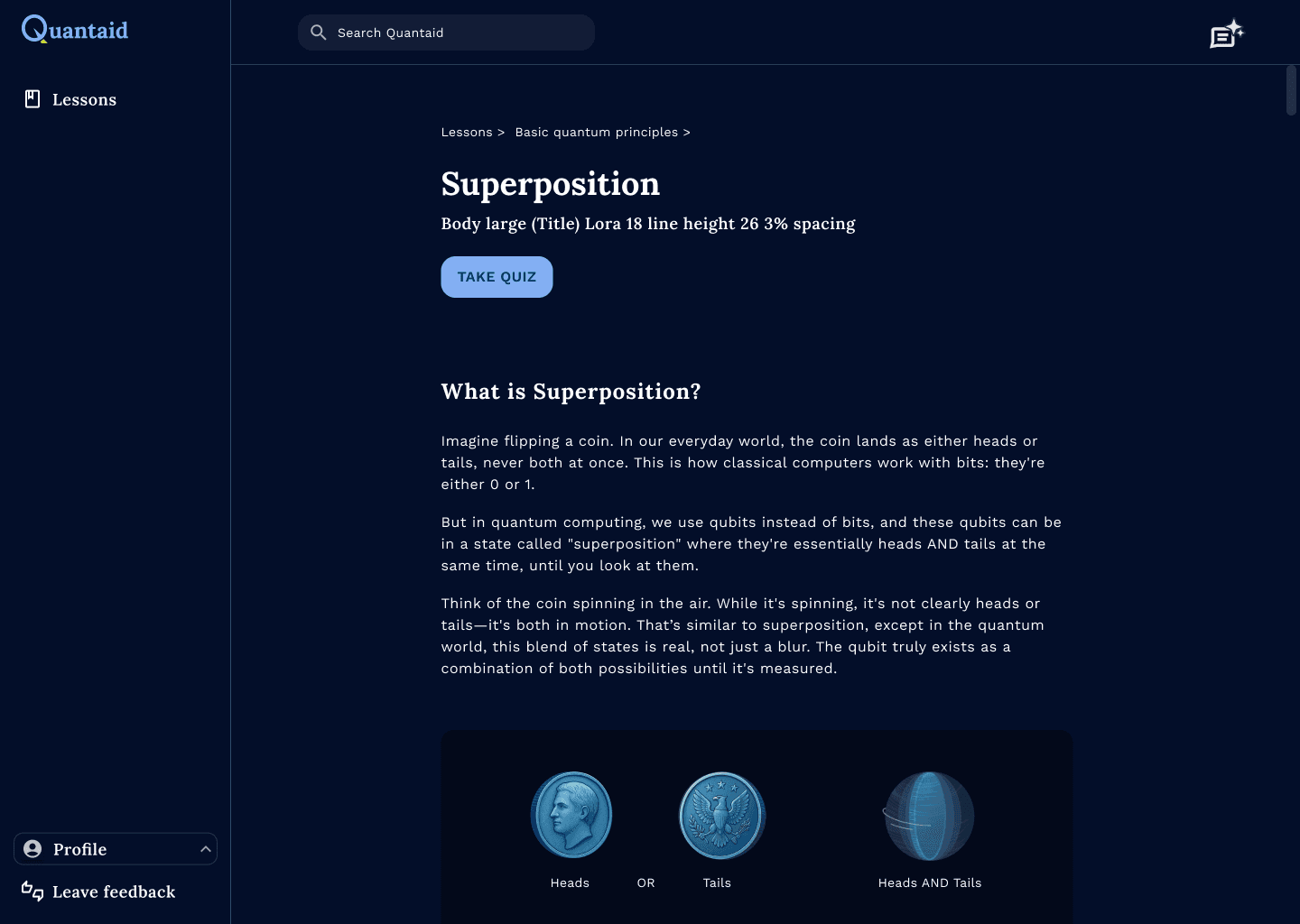
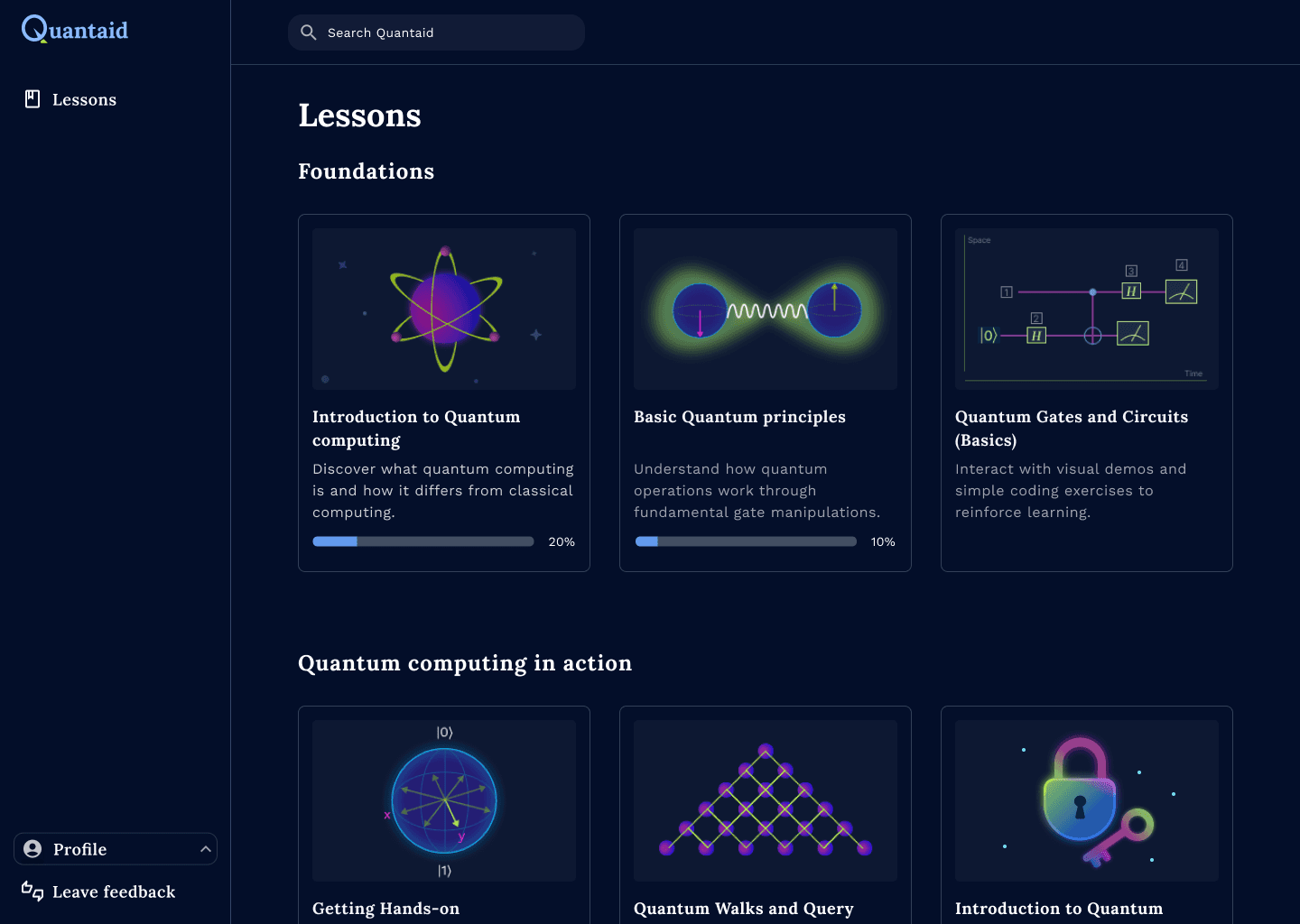
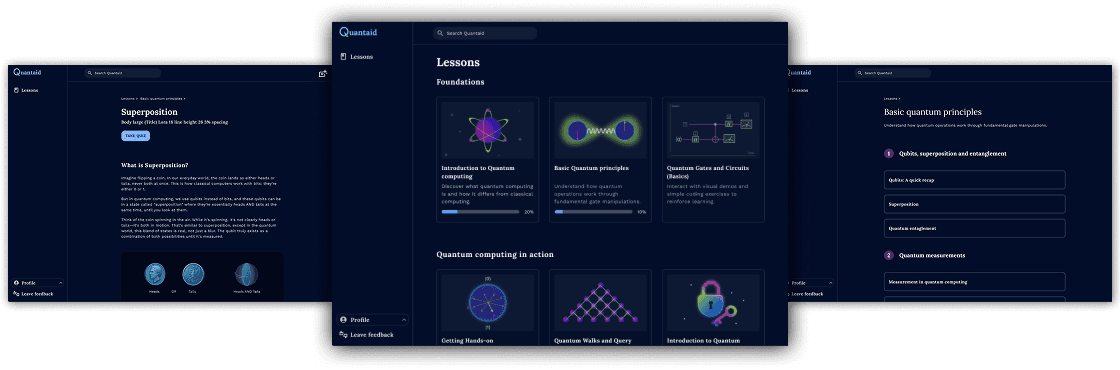
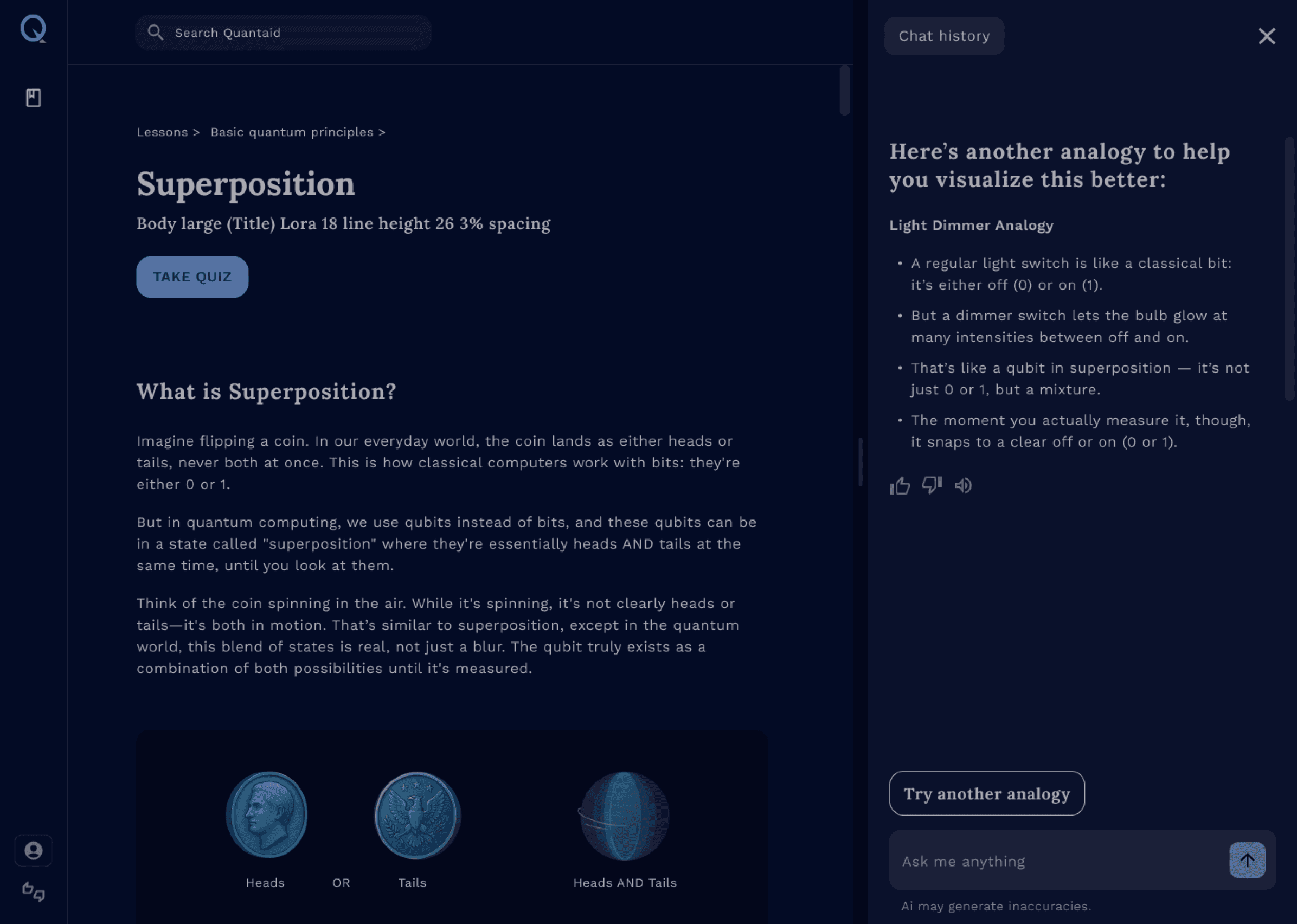
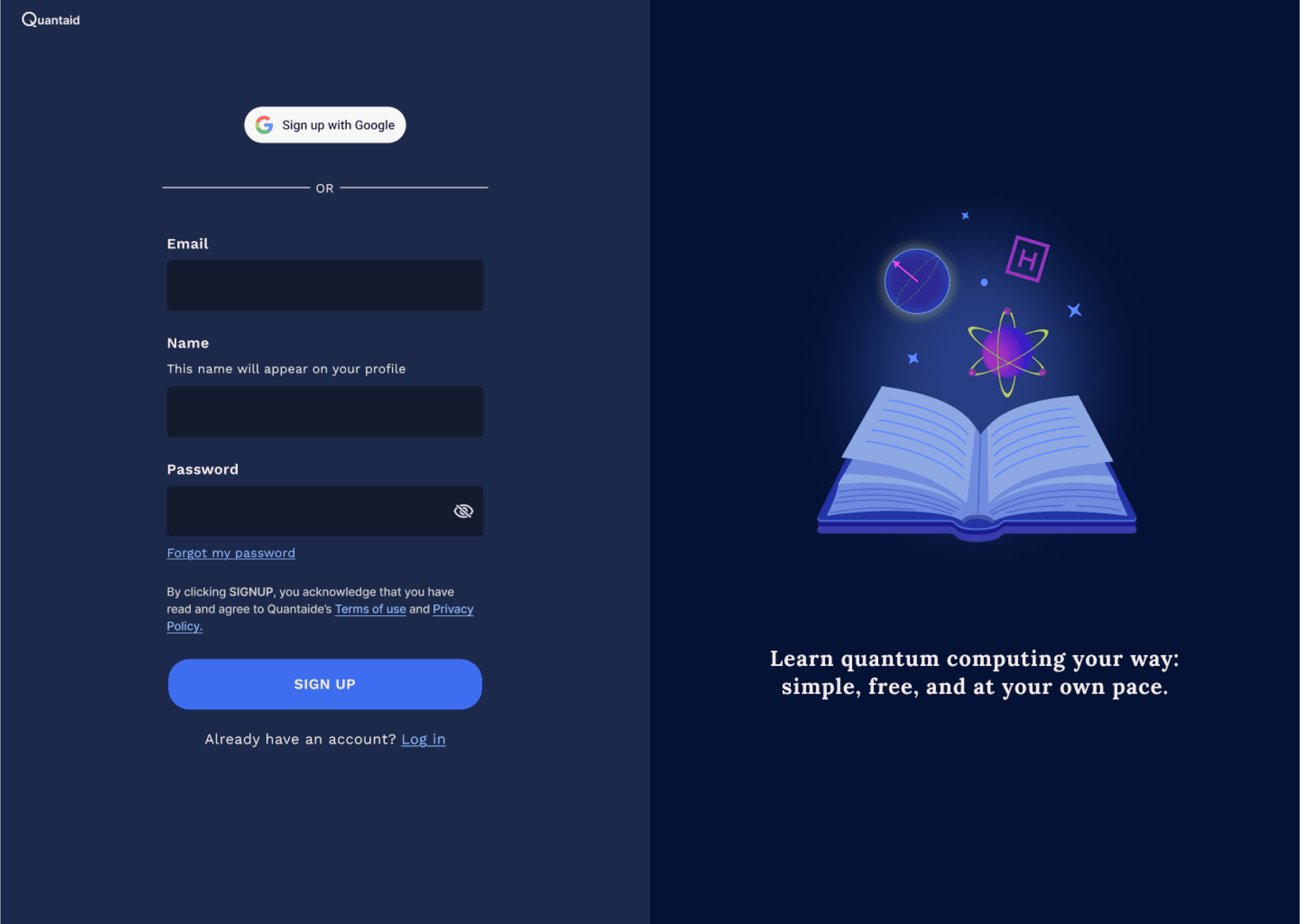
Guided and accessible learning
Bridging knowledge gaps through guided support
Cohesive learning experience
Process
Research
Understanding the Existing Direction
When I joined the project, development had already begun on an analogy-based AI quizzing idea that explained quantum computing through hobby-based analogies. It was fun, clever, and exciting.
But I could already see a problem and shared my concerns that the subject is too complex to be taught through hobbies and that analogies alone couldn’t carry an entire scientific discipline.
Additionally,
No user research had explored how learners actually engage with topics like quantum computing.
There was no validation on whether this approach was motivating, effective, or scalable.
My first step was to understand the team’s goals and then zoom out to evaluate the broader landscape of learning platforms.
I began by studying learning and quizzing platforms, especially those using AI, and revisited this research after interviews revealed which tools students already use.
Key observations included:
Some platforms do teach quantum computing, but many are locked behind paywalls and are presented in dense, highly academic formats
Gaming-style quantum platforms offered fun engagement patterns, but lacked the theoretical depth beginners needed.
Many curious students end up learning alone, which feels isolating and makes it hard to stay engaged with such an abstract subject.
Since most students already use LLMs, I explored how these AI tools structure explanations to reduce intimidation and cognitive load.
These findings shaped how I planned the user interviews and the usability test.
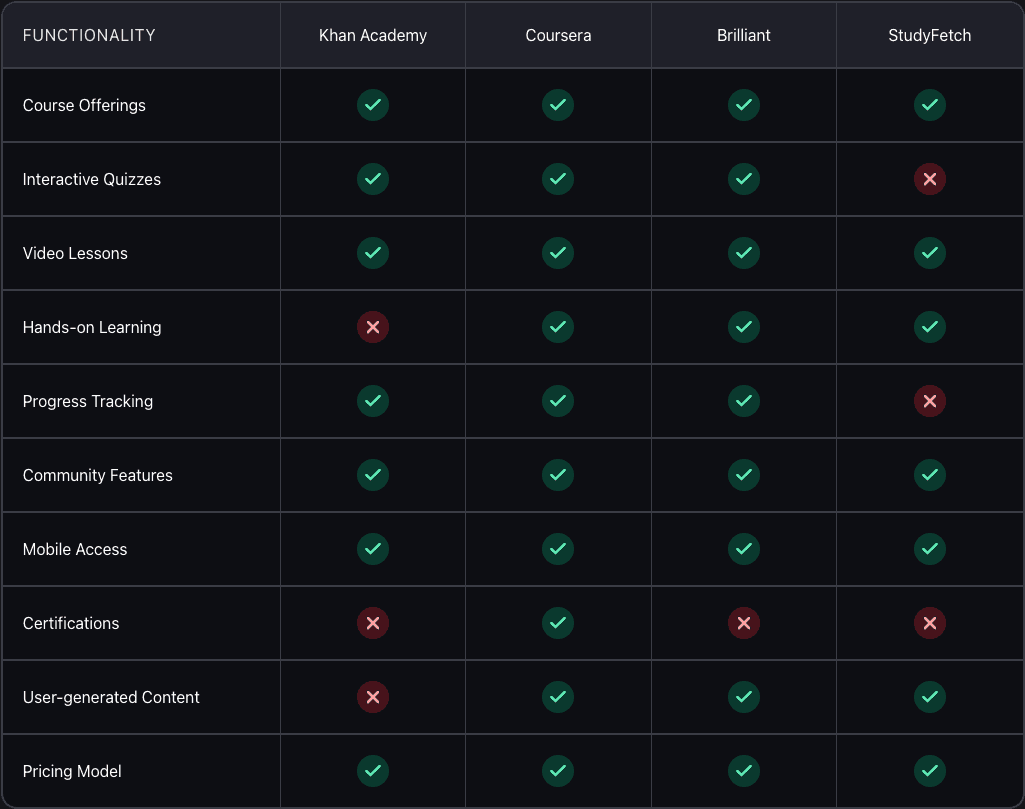
Opportunities to Stand Out
Features that support a well rounded learning experience
Provide access to ai support but without the cognitive load of prompting for an answer everytime
Break down academic phrasing into simple, digestible explanations.
Create a one-stop resource hub where learners can learn, practice exercises, visualizations, get news updates, and hands-on experimentation tools in one place.
Analogy through a hobby angle has great potential to spark curiosity and personalize learning
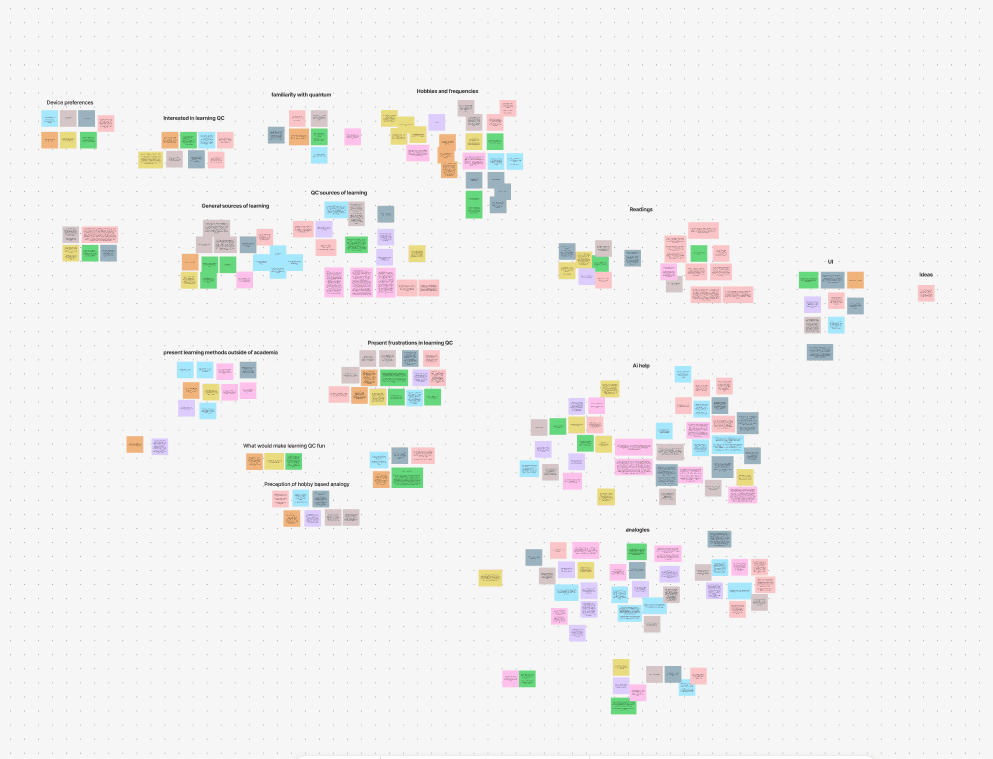
User Research & Interviews
I designed user interviews to understand
How beginners approach learning complex topics
What frustrates them
Their learning preferences
What keeps them motivated
Since the team had already been working on analogical quizzes, we conducted a usability test to validate the assumption about its effectiveness. I proposed adding a lessons page to test if users benefited from learning the concept first before being tested vs direct quizzes.
Our participants included computer science students who had already studied quantum computing, as well as CS and high school students who were interested in the subject but had no prior experience.
Data revealed that
Knowledge gaps
Learners struggled to connect concepts across math, physics, and computing.
More visual engagement
Users wished there were visuals to make concepts more concrete
Mixed reactions to analogies
When analogies landed well, users found them pleasantly helpful. When they missed, learning felt unnecessarily complicated
Two core user groups emerged
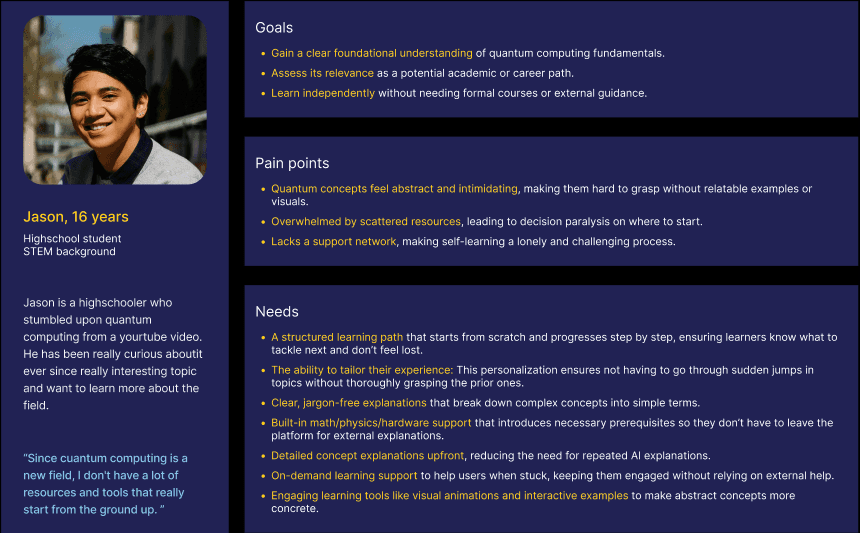
Novice learners who are interested in the subject and don’t know where to start
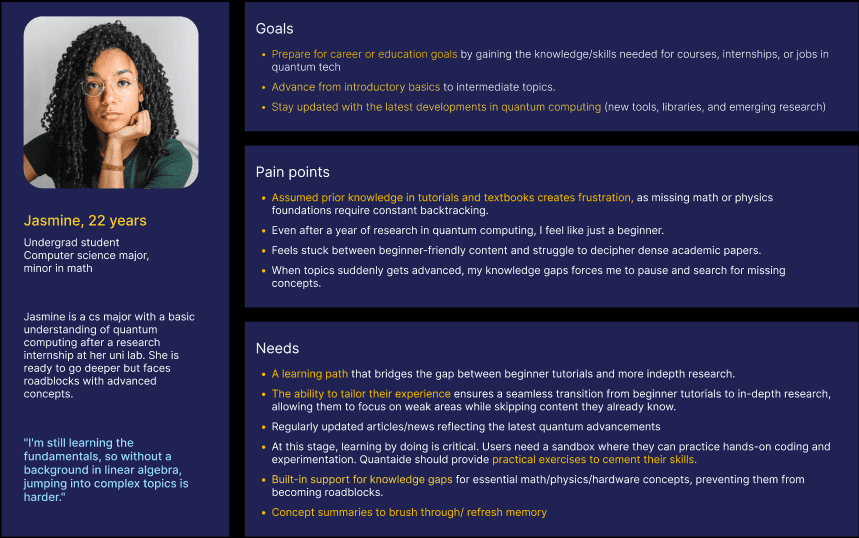
Advanced learners who have basic QC knowledge and seeking to continue their learning.
These showed that it was imprtant to not only generate interest in quantum computing but figure out a way to sustain it as well.
The findings strengthened my push for a more complete learning experience and align the team to reposition analogies as a nice-to-have aid instead of the core teaching mechanism.
But the team wasn’t fully ready to move on from an analogy-first approach, so I explored ways to make analogies more reliable. If they could land correctly close to 100% of the time, the approach might still work.
As we explored how to make analogies more reliable, I used that space to design supporting elements around core user needs, ensuring the product still moved forward even while the analogy approach was under evaluation.
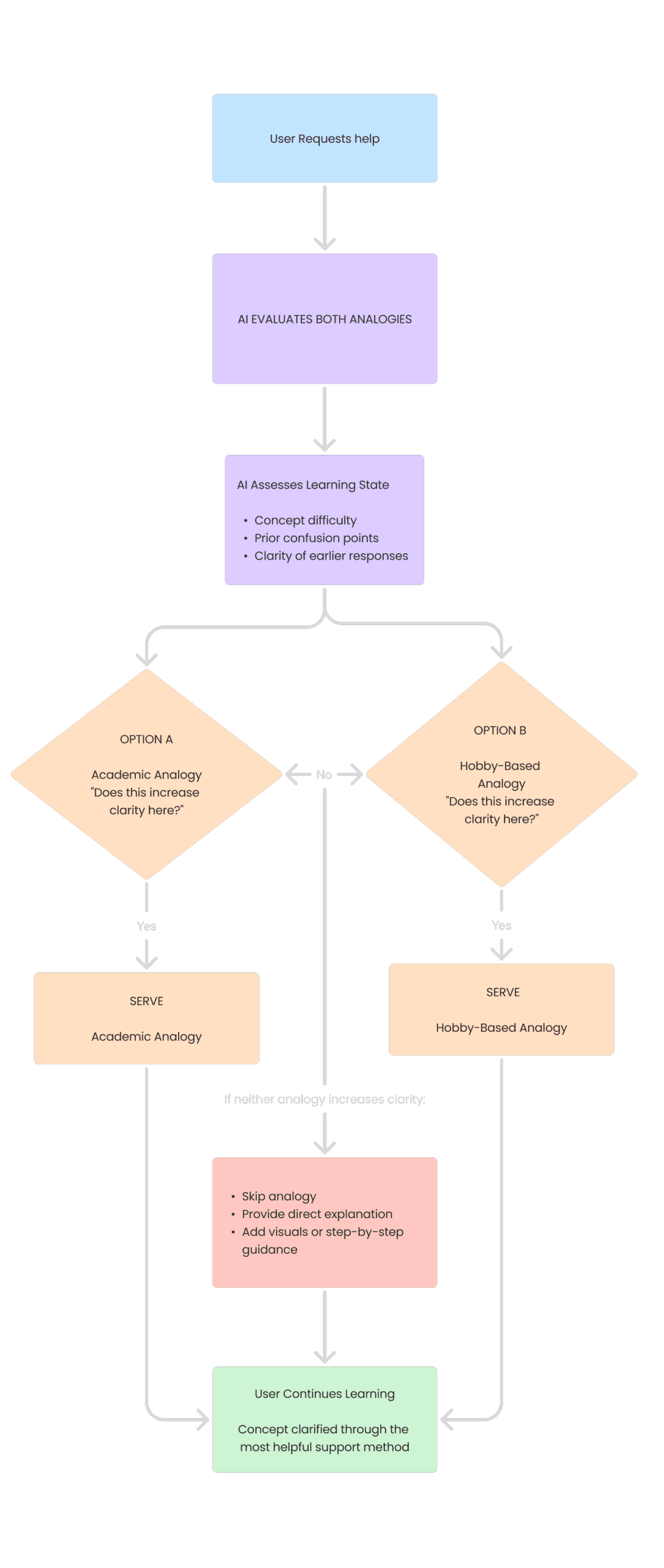
There were two analogy types to consider:
Academic analogies: The standard explanations already used in textbooks
Hobby-based analogies: The personalized version the team envisioned
The challenge was that hobby analogies often failed to explain the concept clearly and sometimes made it more confusing.
To address this, I proposed an approach where the AI would first assess which type of analogy would be clearer in a given moment, and then serve either a general academic analogy or a personalized one.
While exploring these options, the team became ready to move on from the original analogy-first plan.
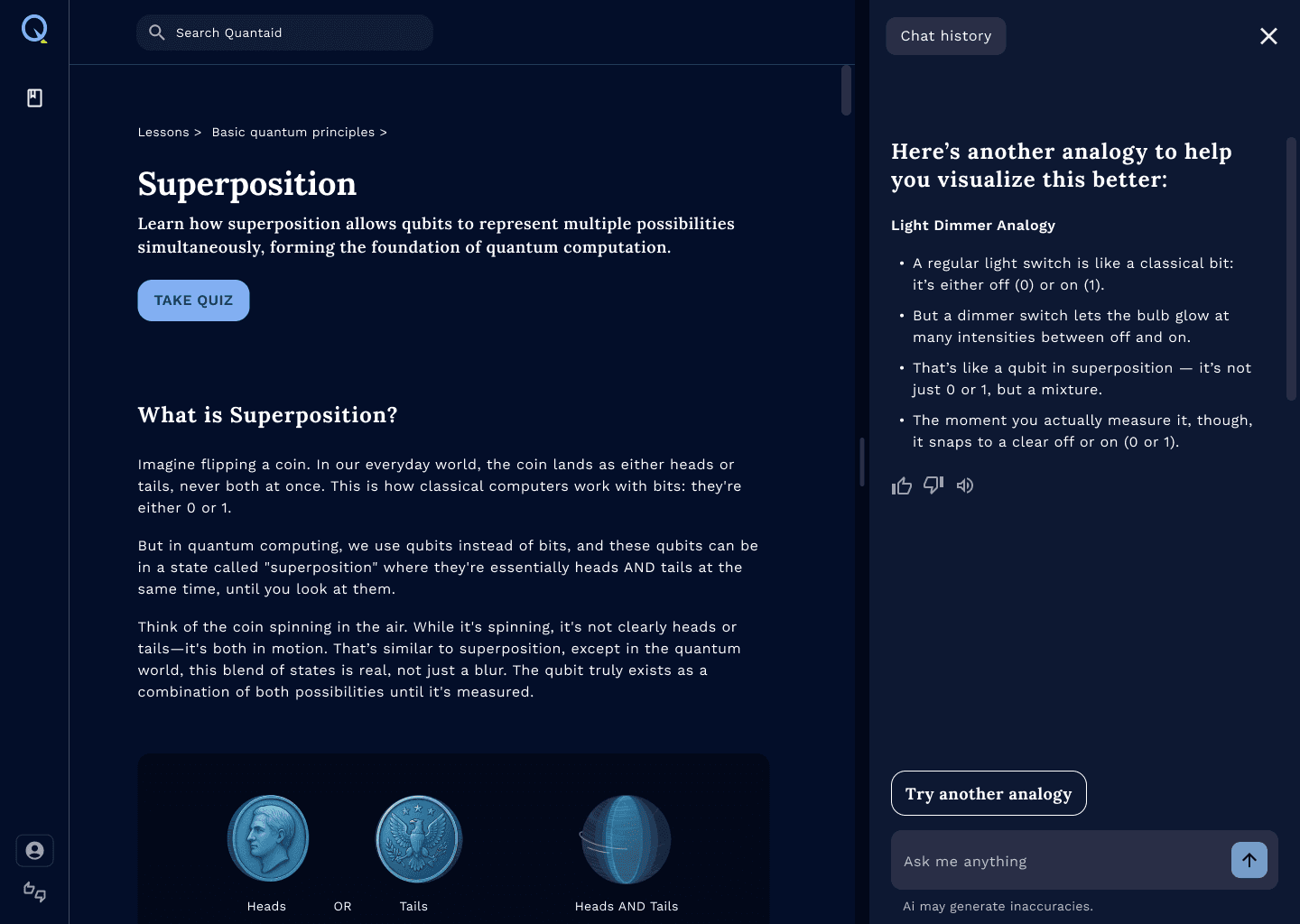
We ultimately adopted an “Analogize” option placed alongside “Explain,” allowing learners to request an analogy only when it felt helpful.
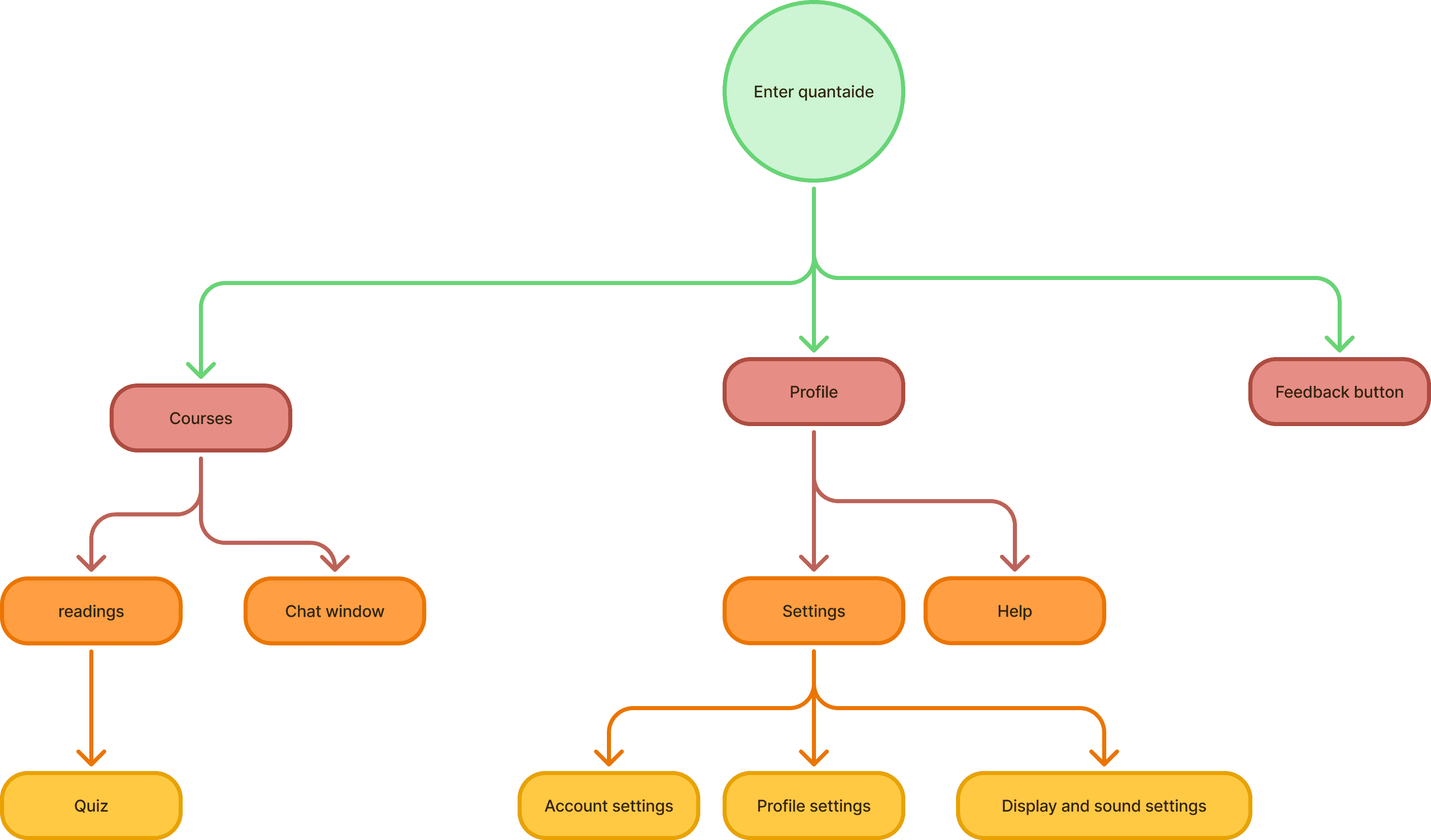
Once the team aligned on the new direction, I outlined every key task a learner would need to complete and built a sitemap to clarify how the content should be organized.
I structured this around the core tasks learners would use Quantaid for.
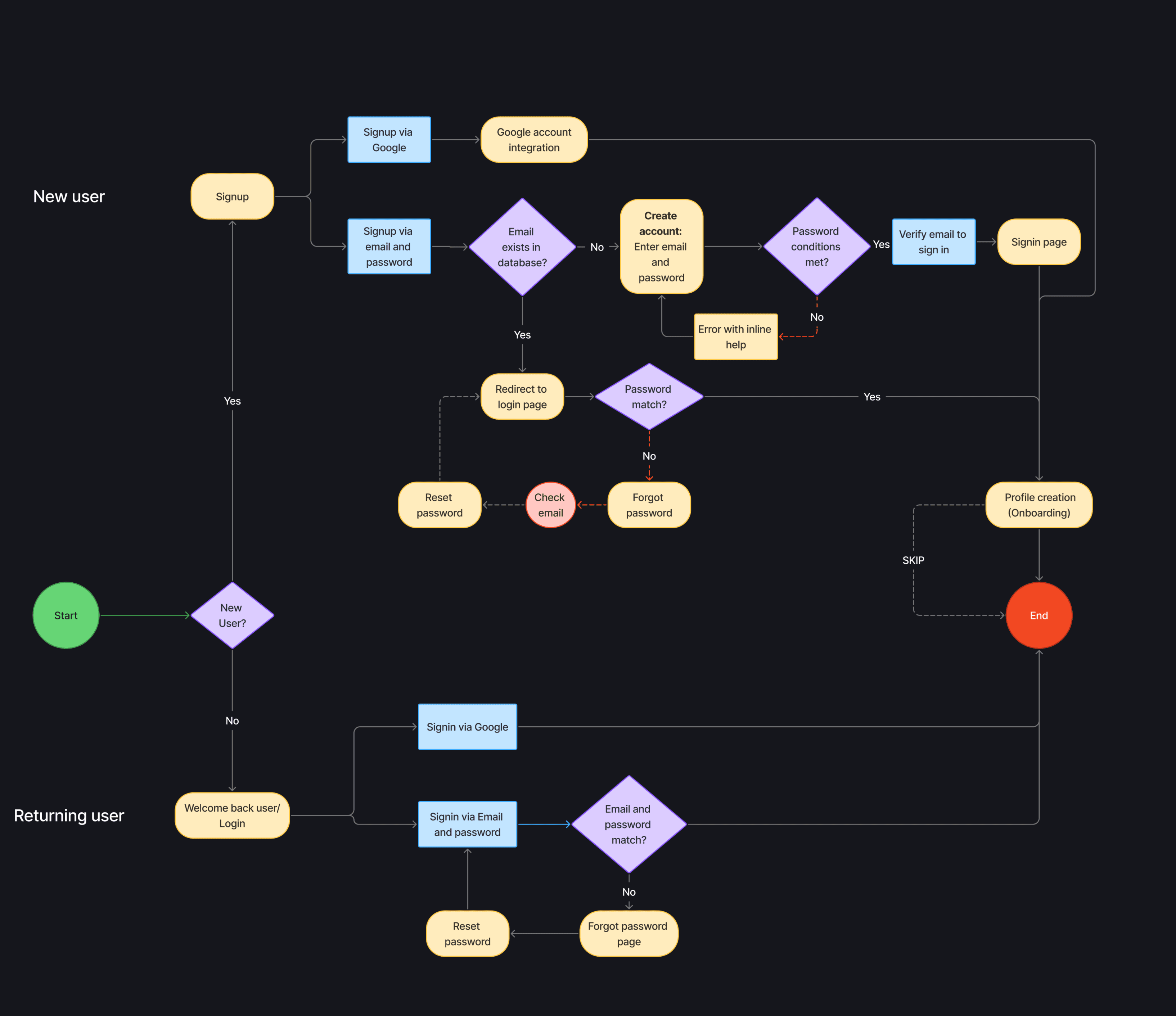
With the content structure in place, I moved on to designing user flows that captured how learners transition from one stage of learning to another.
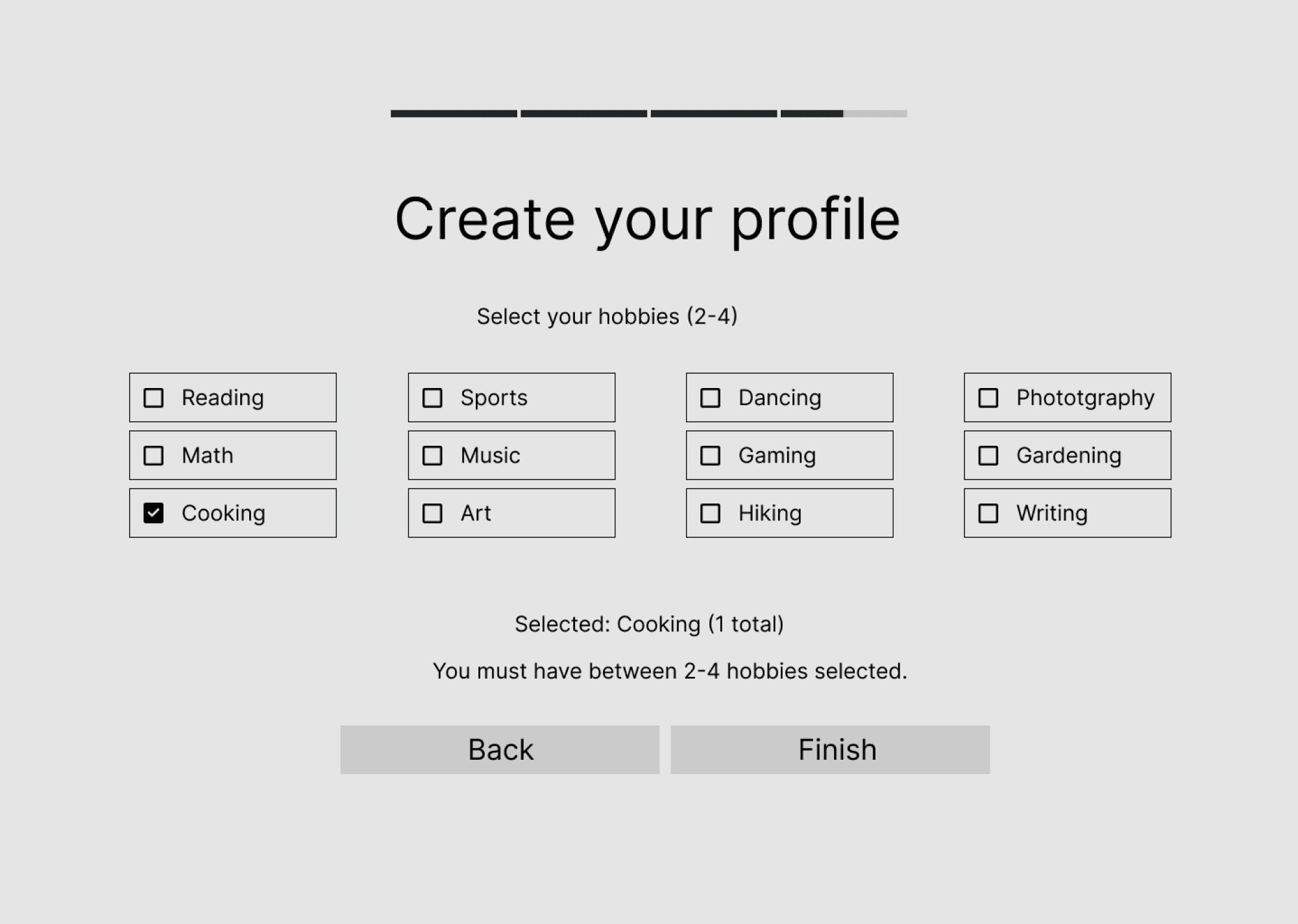
I focused on how users would ideally navigate the platform to achieve their learning goals: onboarding and personalization, reviewing concepts, turning to AI when stuck, and testing their understanding through quizzes.
Onboarding
Learning
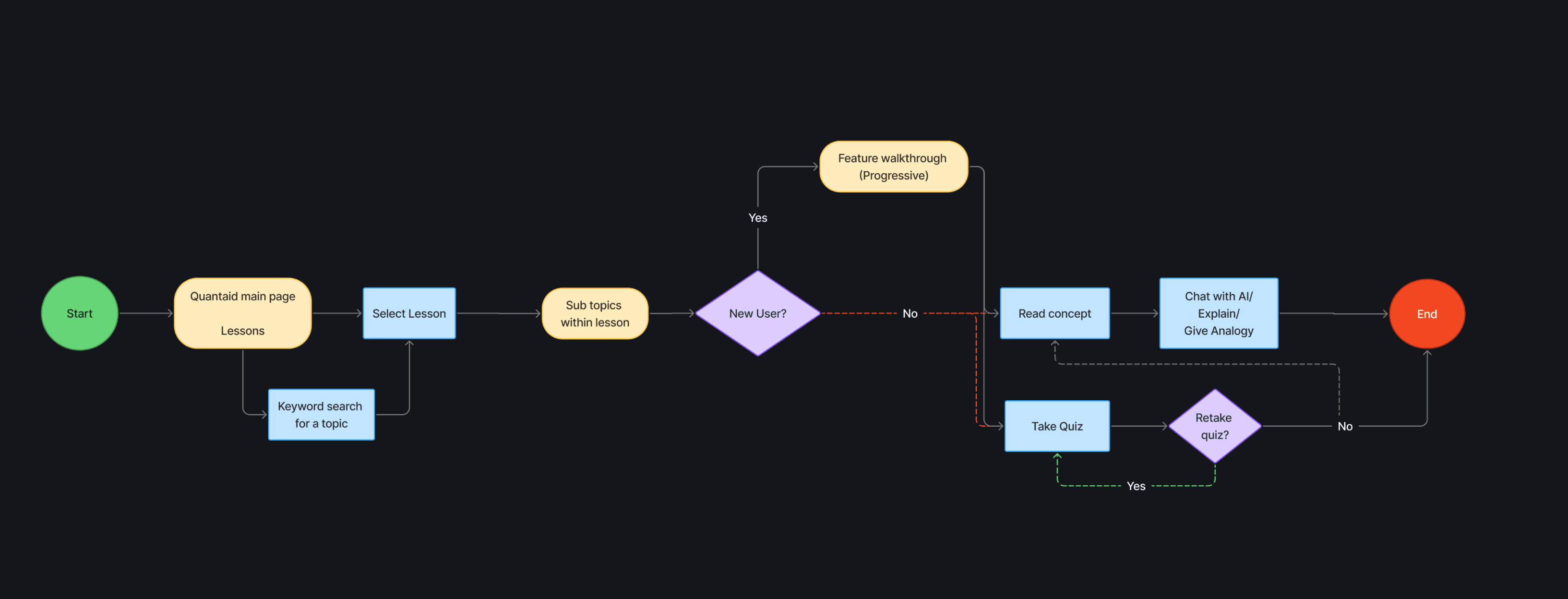
Seeking help
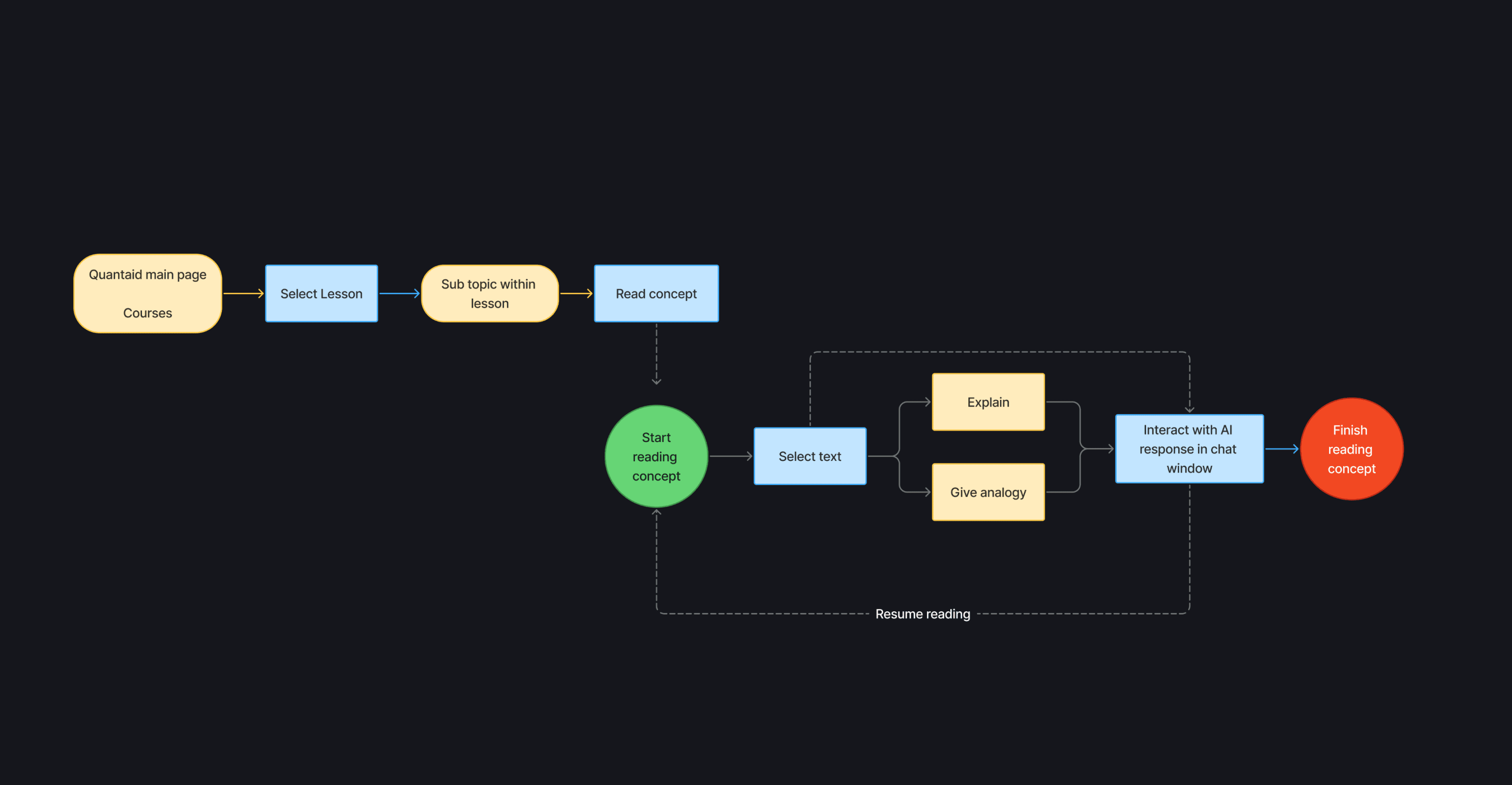
Quiz
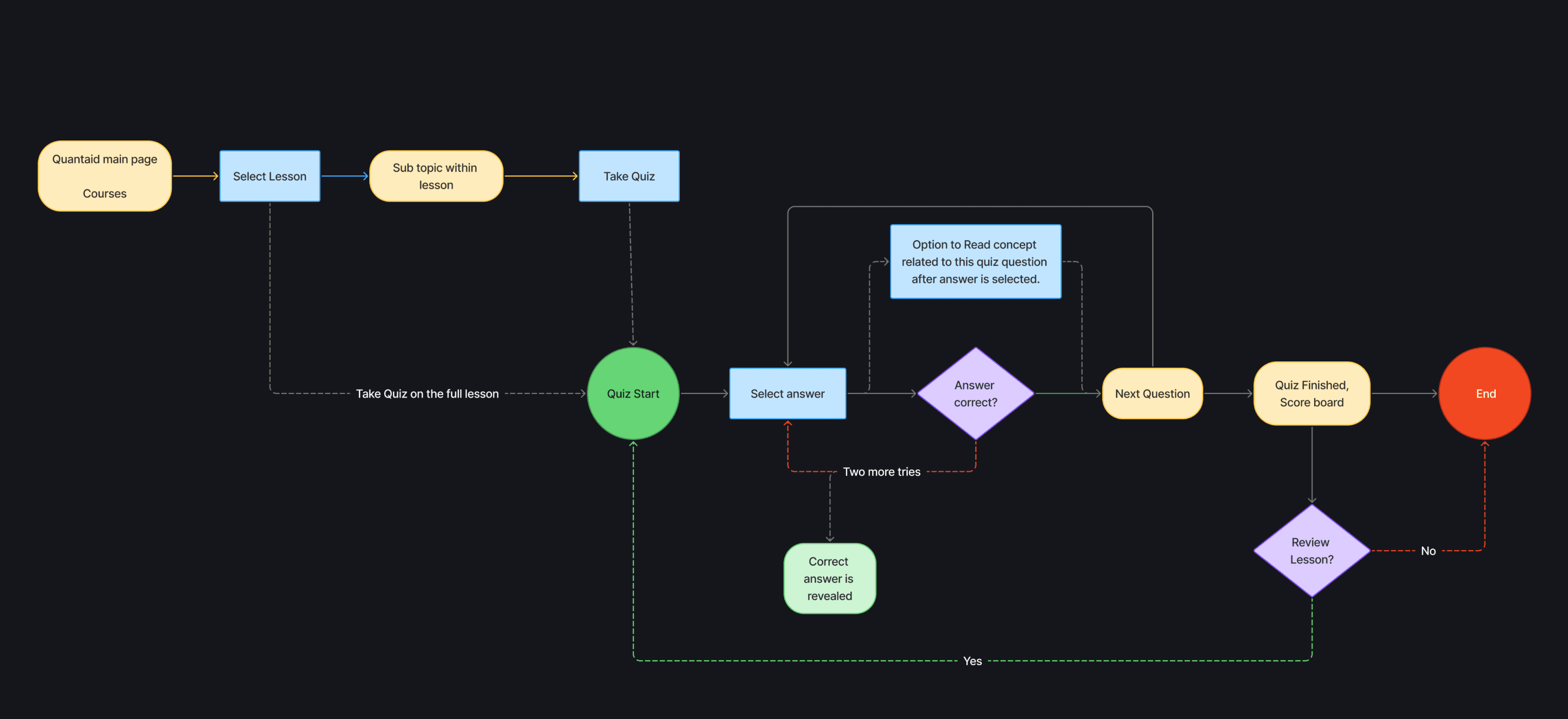
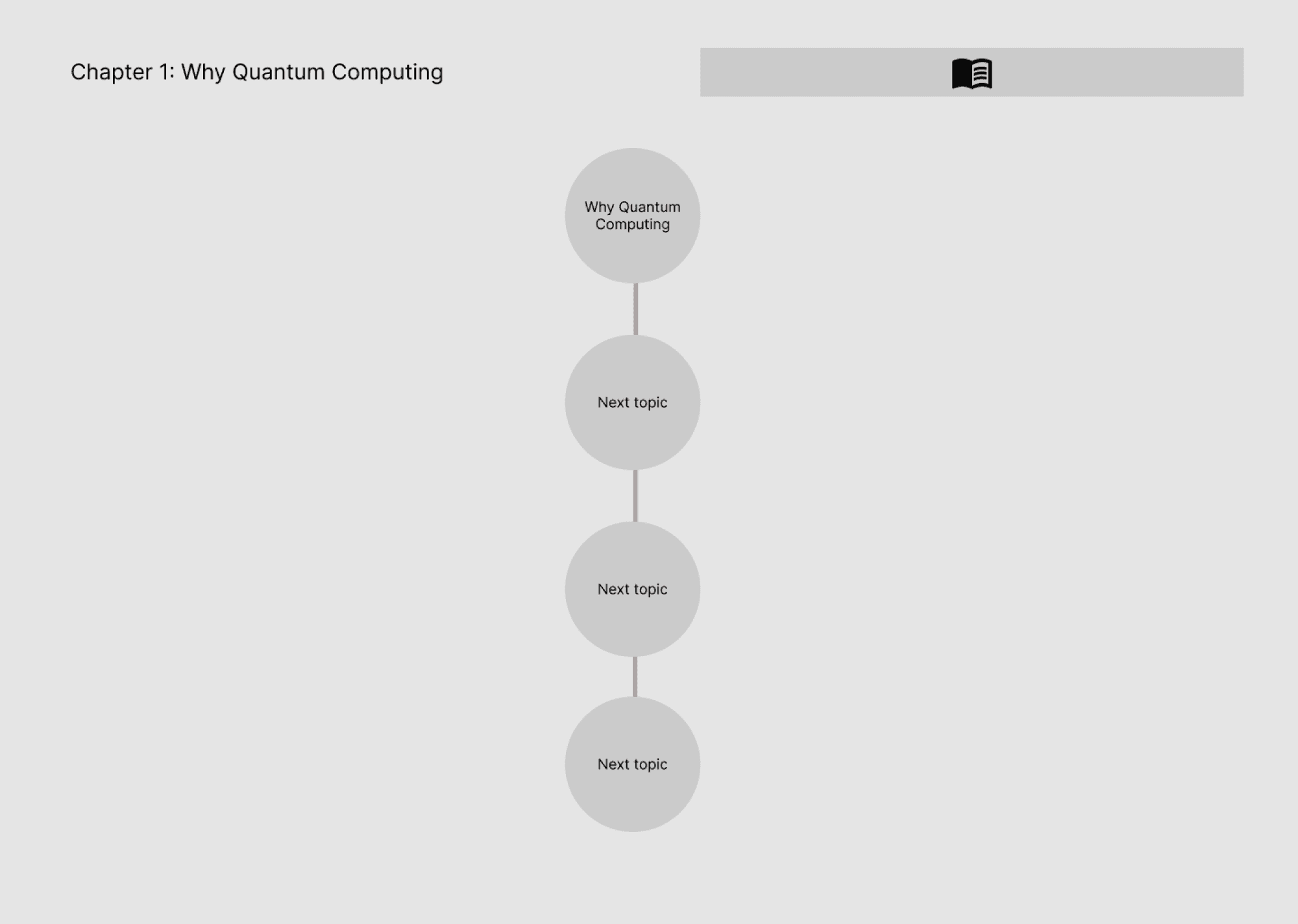
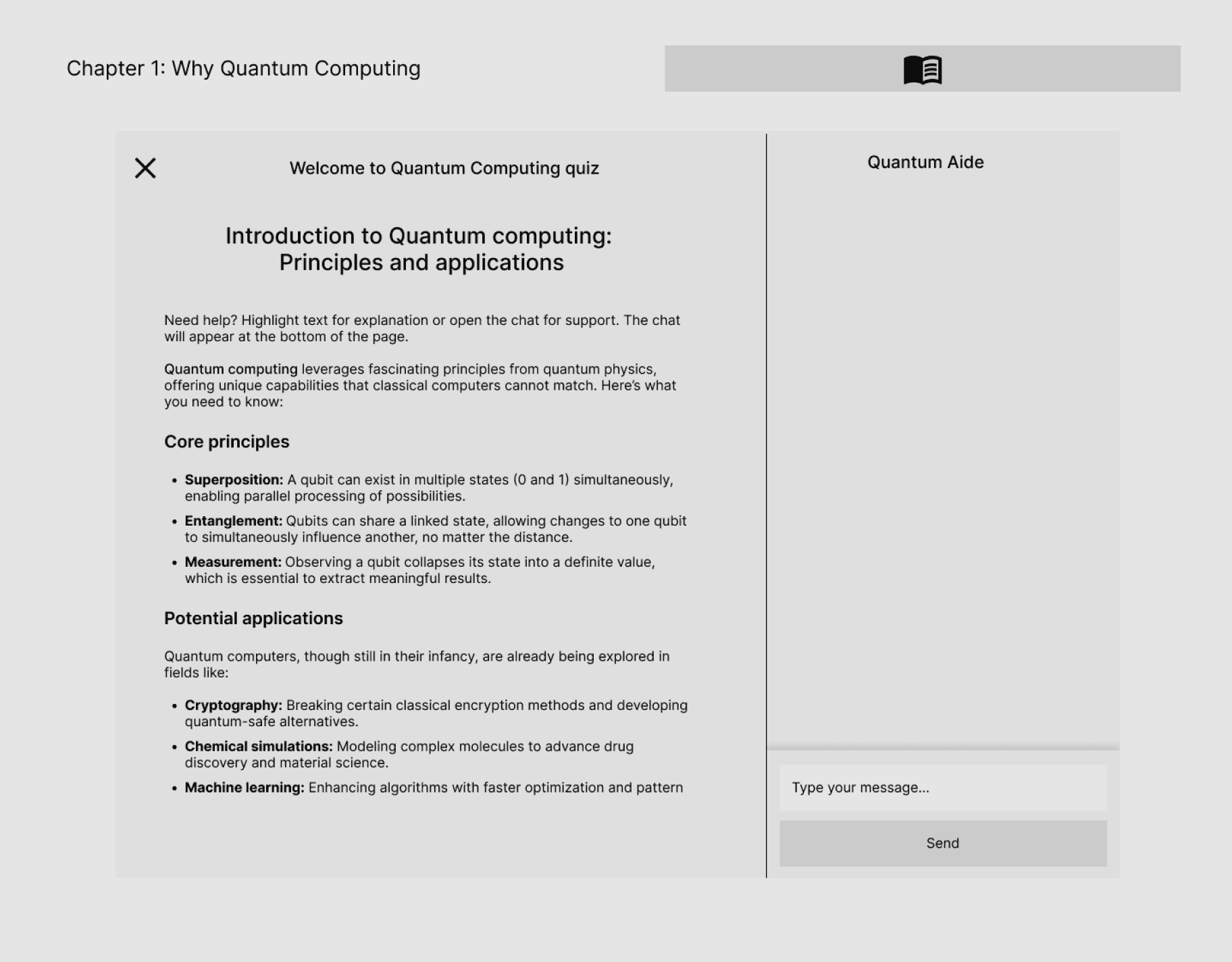
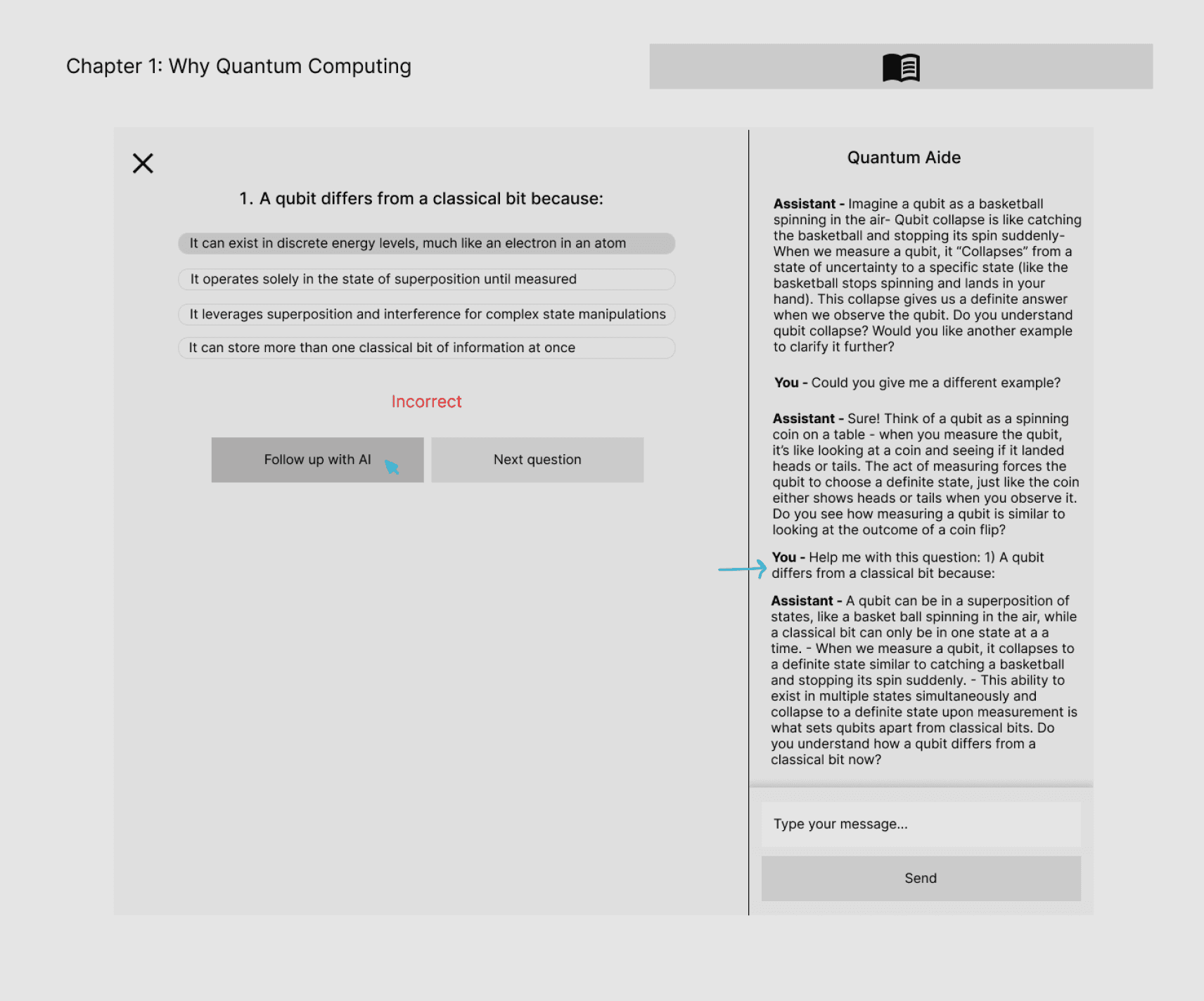
Once I had more clarity, I began expanding on the initial framework we used for the usability test, refining it into more structured wireframes and interaction flows. Since the core screens were relatively simple and the team was eager to move toward launch, the structure and UI evolved in parallel through ongoing internal feedback, allowing the design to progress without over-segmenting stages.
At the same time, I started exploring the visual direction of the platform. Early on, I toyed with the idea of introducing a mascot named Kelvin, inspired by the quantum refrigerator, as a way to add curiosity and approachability.
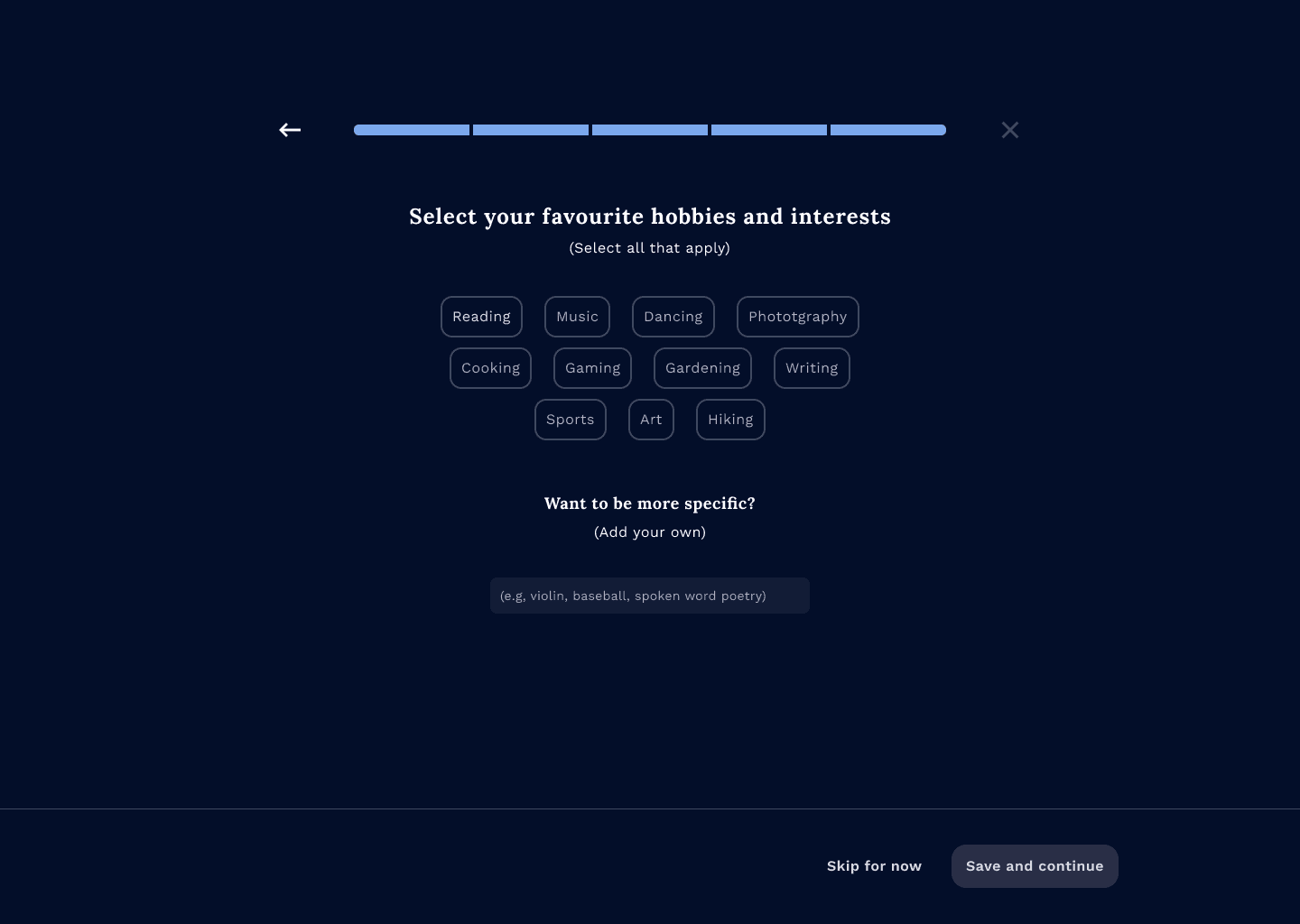
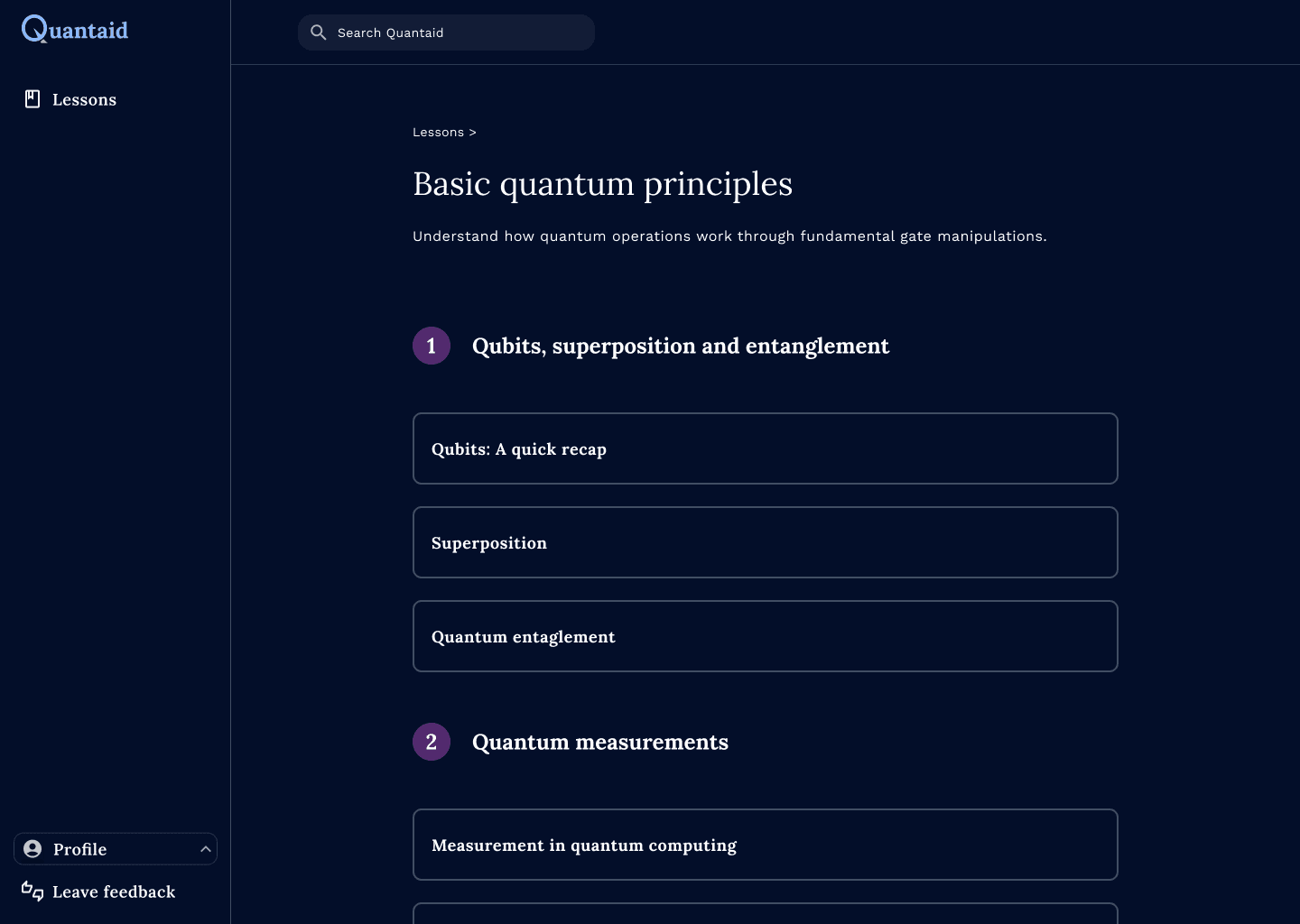
As the structure and interactions took shape, it became clear that a more mature visual language better supported credibility and long-form learning. This led me to move away from the mascot concept and toward cleaner, more focused visual decisions.
Before
After
Visual identity
While shaping the platform’s structure, I explored a visual direction that stayed focused on learning, and scale consistently as new lessons and features are added.
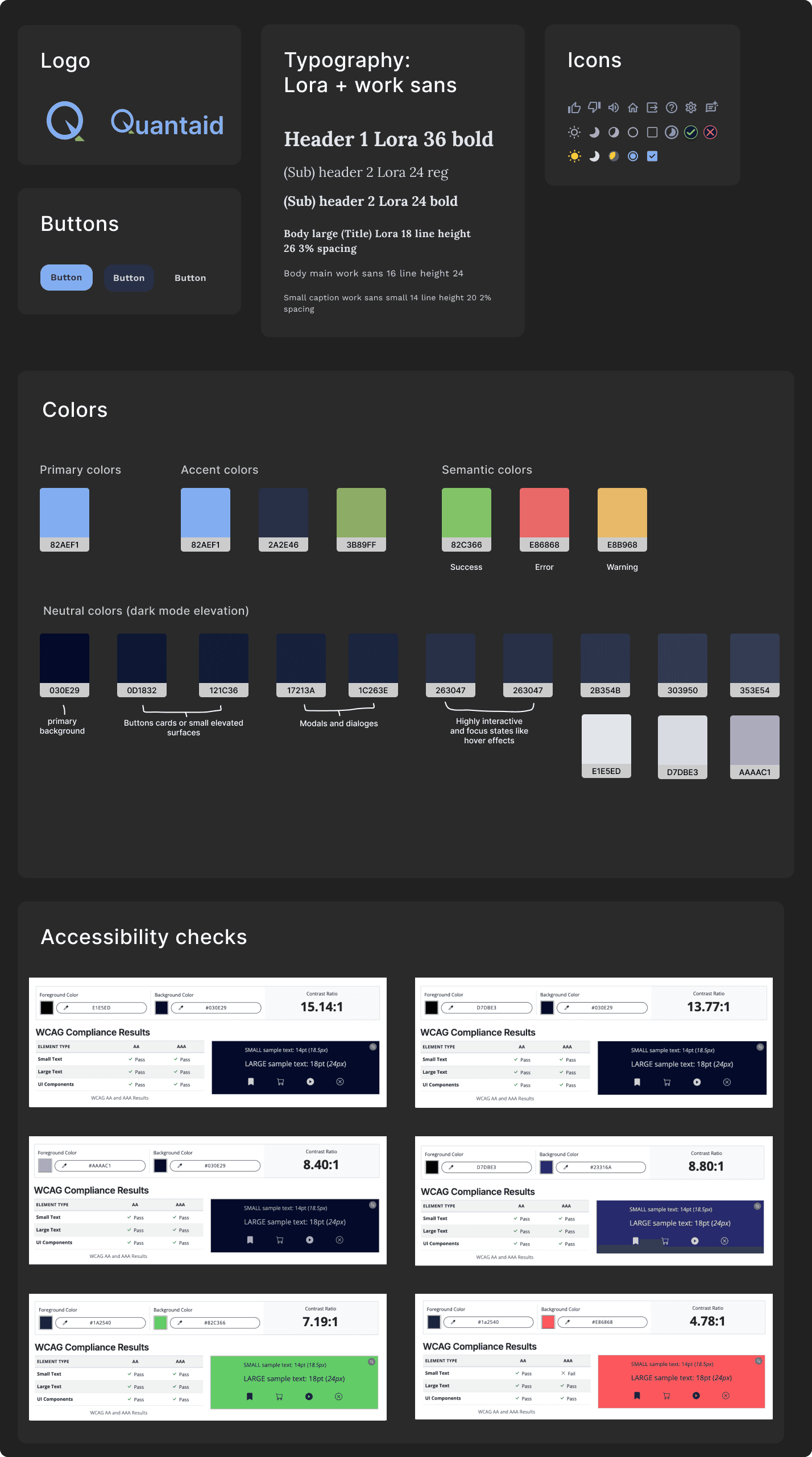
The logo design plays on the idea of a qubit’s position, integrating it into the letter “Q” to reflect both the project’s name and its core concept.
For typography, I reviewed learning platforms that rely on long-form reading and evaluated type choices across dark and light modes. I used Lora for headings to establish hierarchy and Work Sans for long-form content to maintain readability over extended sessions.
Users wanted more engaging visuals, and given the futuristic nature of quantum computing, I leaned into dark mode and deep blue tones to evoke technology and innovation.
Informal input from students also reinforced a strong preference for dark mode when studying.
I also paid close attention to color contrast and text legibility to align with accessibility standards, particularly in dark mode.
Usability test
I conducted a usability test to evaluate visual clarity and to ensure users were able to navigate through the tasks intuitively. It uncovered important details I had missed, helping me refine the flow and make the overall experience feel smoother and more intuitive.
What worked
Users found the visuals engaging and appreciated AI support.
Analogies were helpful but seen as optional.
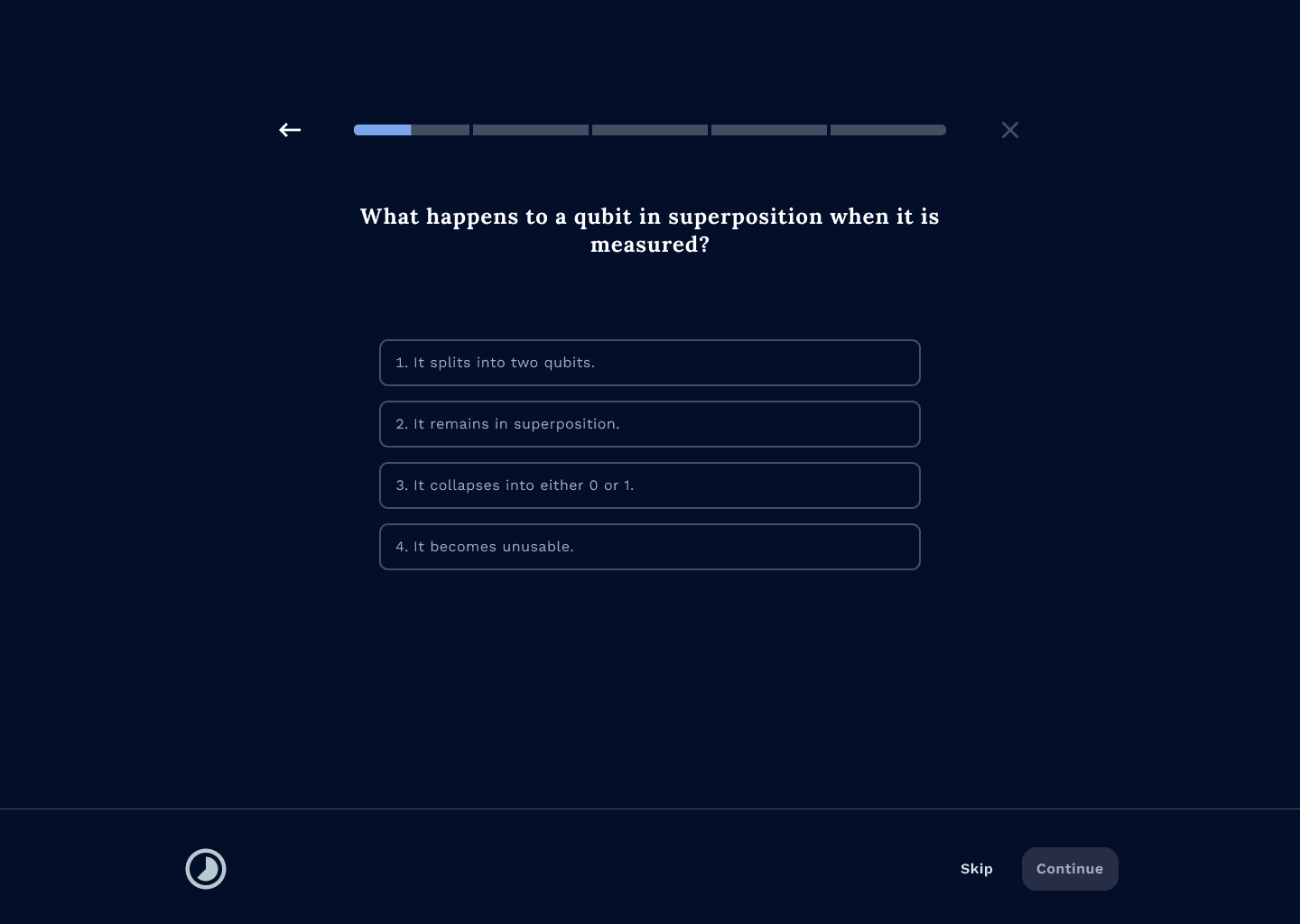
Quiz flow was clear and easy to complete.
Iterations
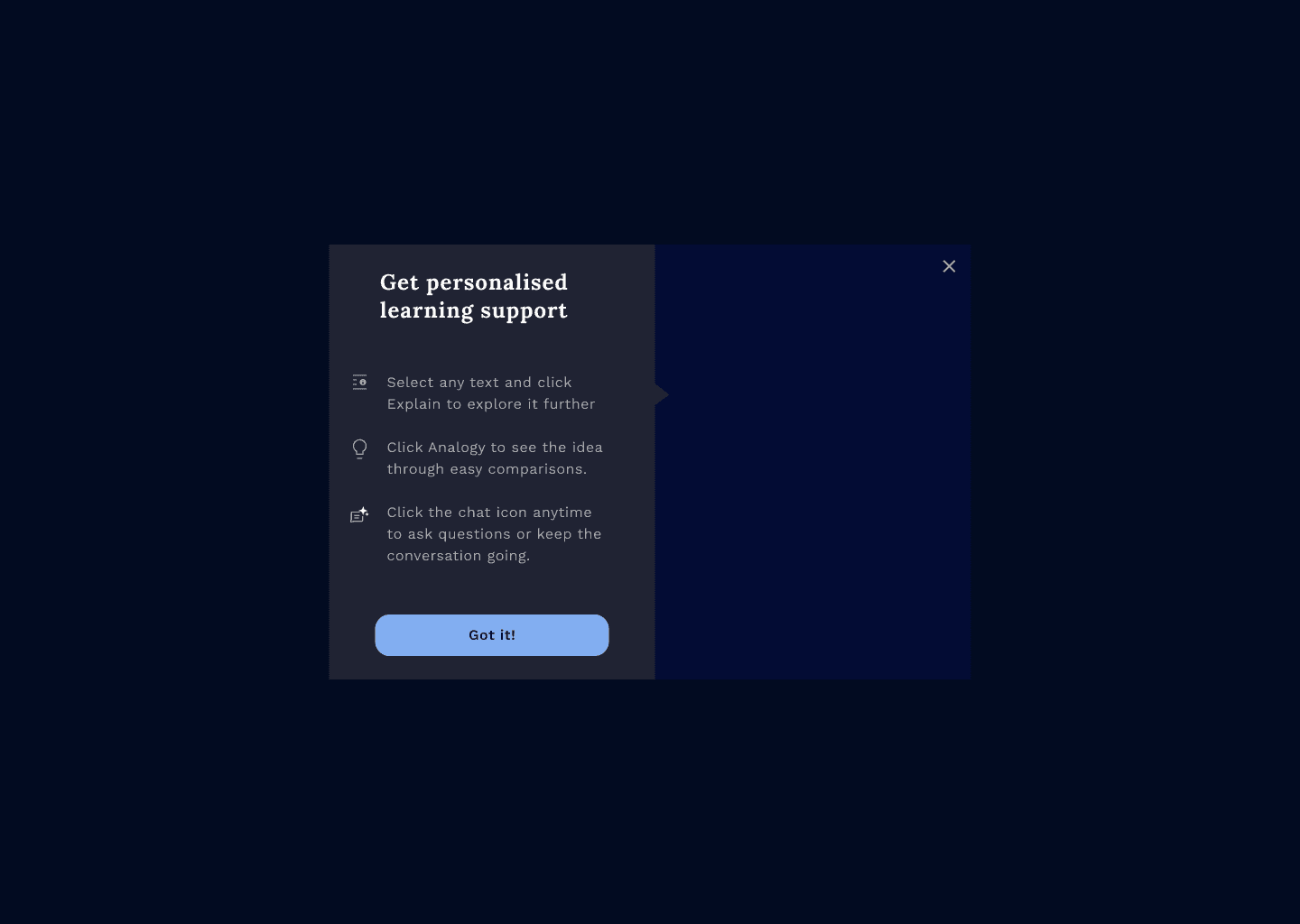
Initially, I designed a progressive discovery pattern to introduce the highlight-to-explain/analogize feature in context, allowing users to learn about it naturally as they encountered relevant content.
However, during development discussions, the team felt that introducing this interaction upfront, before users entered the platform, would be more feasible to implement.
We tested this approach and found that nearly 50% of users skipped the walkthrough, which led to confusion and difficulty discovering the highlight text feature later on.
I raised this concern with the team and advocated for a more contextual introduction, but the team ultimately chose to keep the onboarding walkthrough in its current placement due to development constraints.
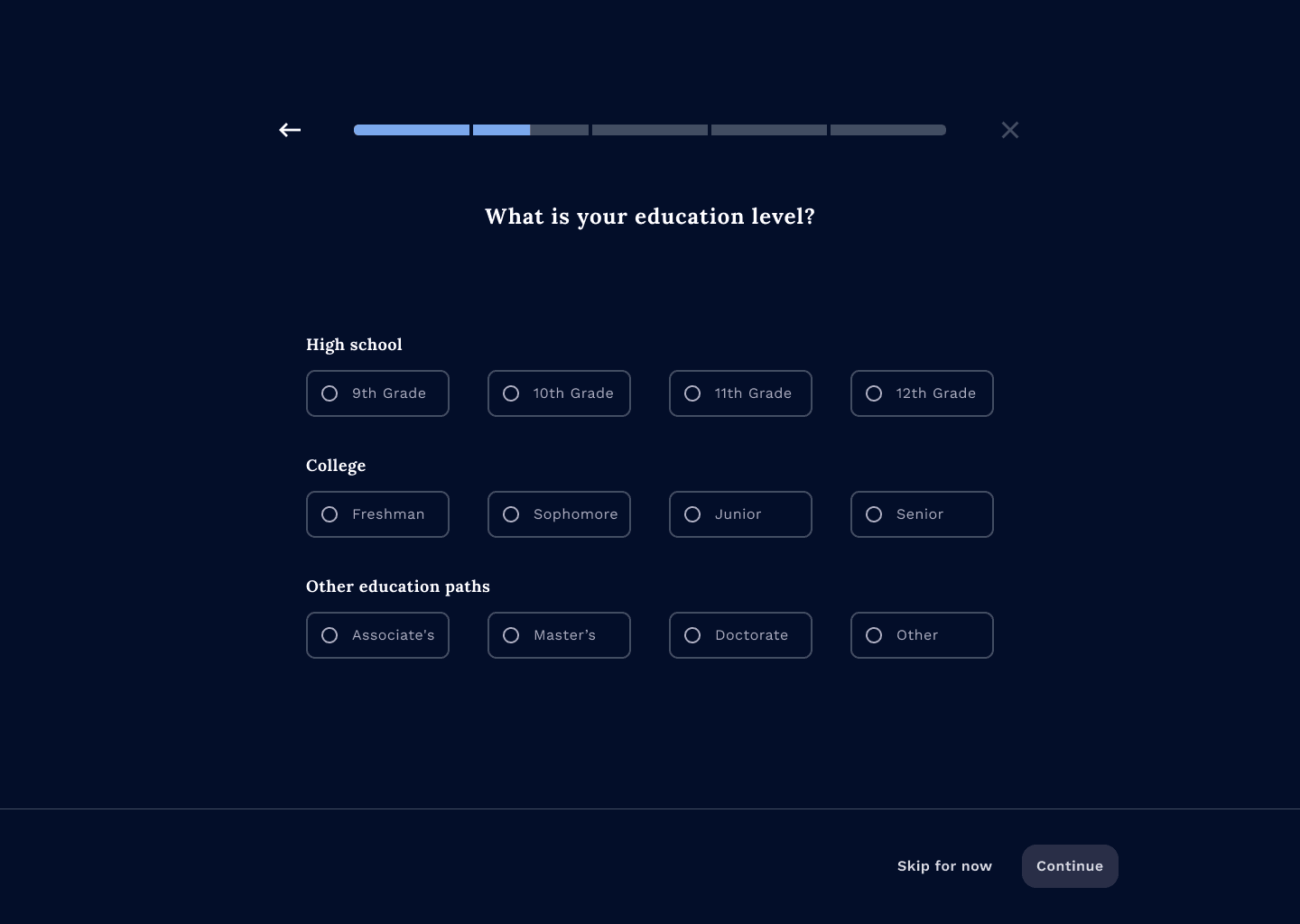
Added another category for users outside academia
Final designs


Next steps
Finalize the MVP for launch.
Test responsiveness across desktop, tablet, and mobile to ensure a consistent experience.
Collaborate closely with the development team during the live release.
Collect learner feedback and iterate on the platform, focusing on usage patterns for analogies and feature discoverability.
Reflection
This project taught me to trust the design process and embrace iteration instead of overthinking early decisions. Working closely with engineering students helped me see how design and development intersect in real time and how product decisions evolve alongside technical constraints.
More than technical execution, this work required strong advocacy for users. I learned to slow the team down when scope expanded too quickly, guide discussions back to research-backed insights, and defend simplicity and cognitive clarity when complexity threatened the learning experience.
At the same time, I learned to push back with data while leaving room for collaboration, strengthening my confidence in owning product strategy and communicating design reasoning clearly.
